Welcome to our bi-weekly product update! Today, the menu includes a BRAND NEW feature, several user experience improvements, fast progress on new Inbox features, and bug fixes… Enjoy!
🔔 Our #1 most requested feature has been released! You can now customize the notifications you want to receive!
It’s here! You can now customize the notifications you want to receive from LeadSimple. What does this mean? You can CHOOSE if you want to get the daily task notification email or not, among several other email notifications we used to send. You now have a choice! Thanks for being patient while we got this one out 🙌
Just go to your profile in LeadSimple to customize the notifications you want to receive.
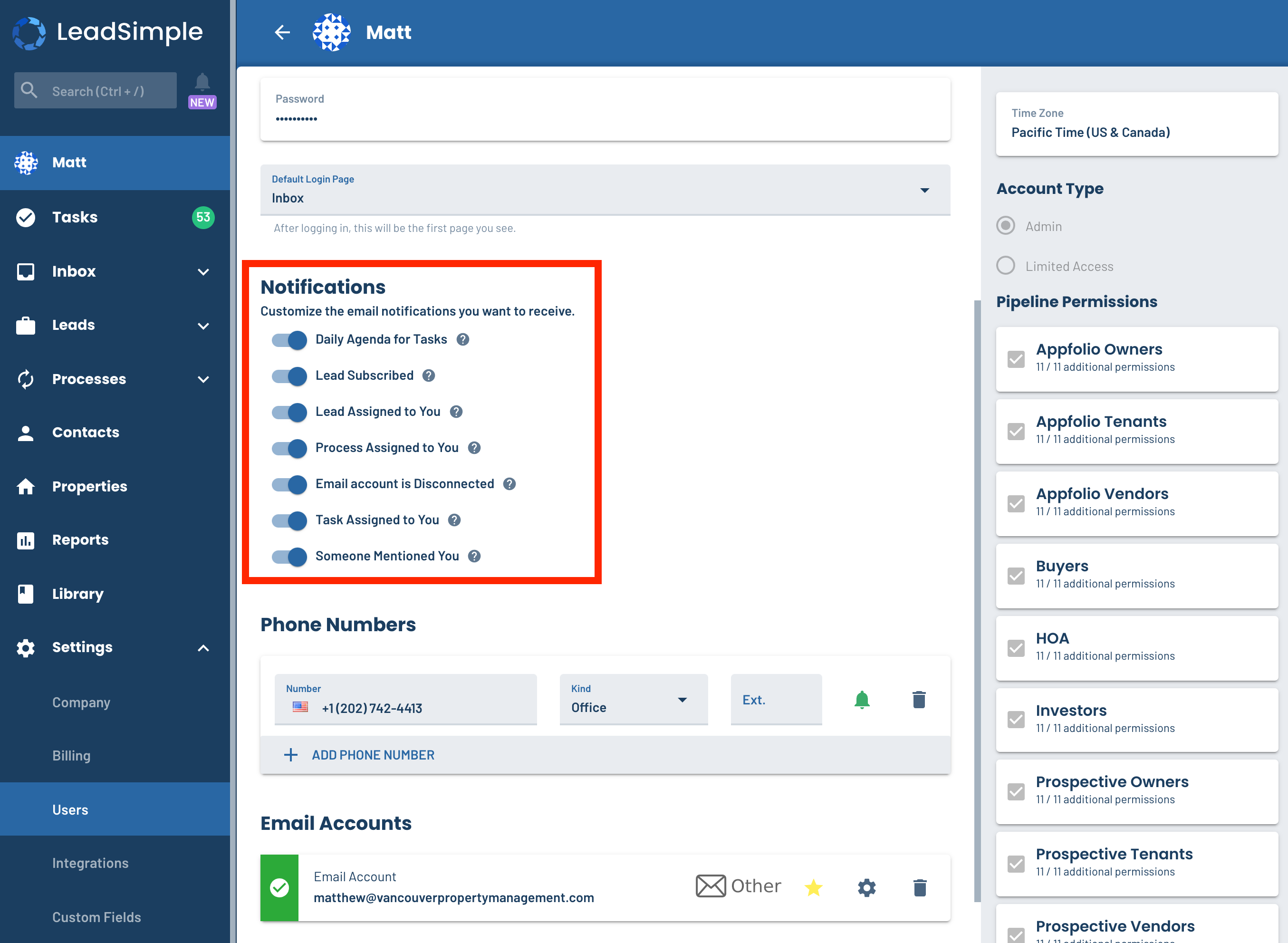
🧭 Navigate to workflow settings DIRECTLY from a process or lead
We added a settings button on processes and leads that takes you directly to the workflow settings for that pipeline or process type. Now you can test and update your workflows with ease, not tons of clicks!
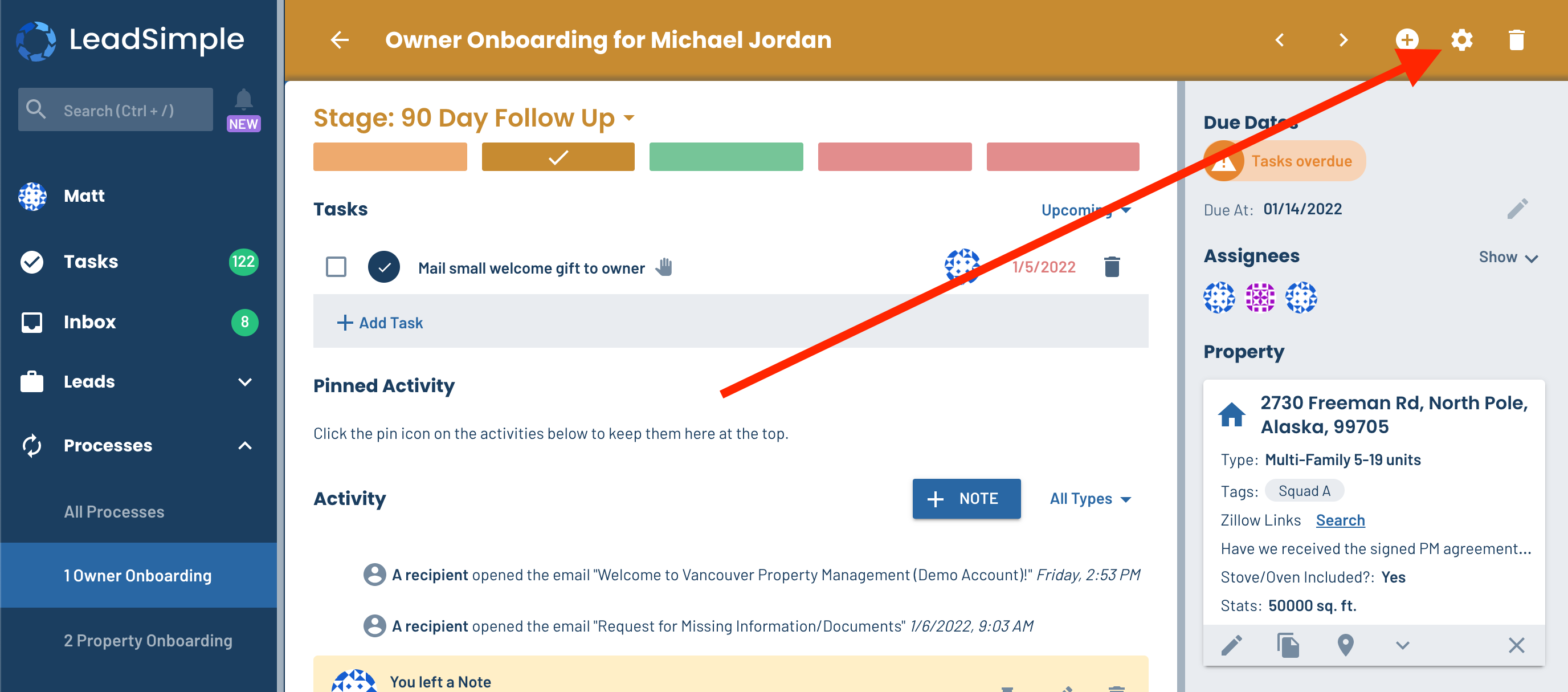
🗺 Navigate between stages quickly with new navigation options
When editing your workflows, you can quickly navigate to the next stage whether you’re at the bottom of the workflow or the top. Before, you had to scroll to the top every time you wanted to move between stages in the process.
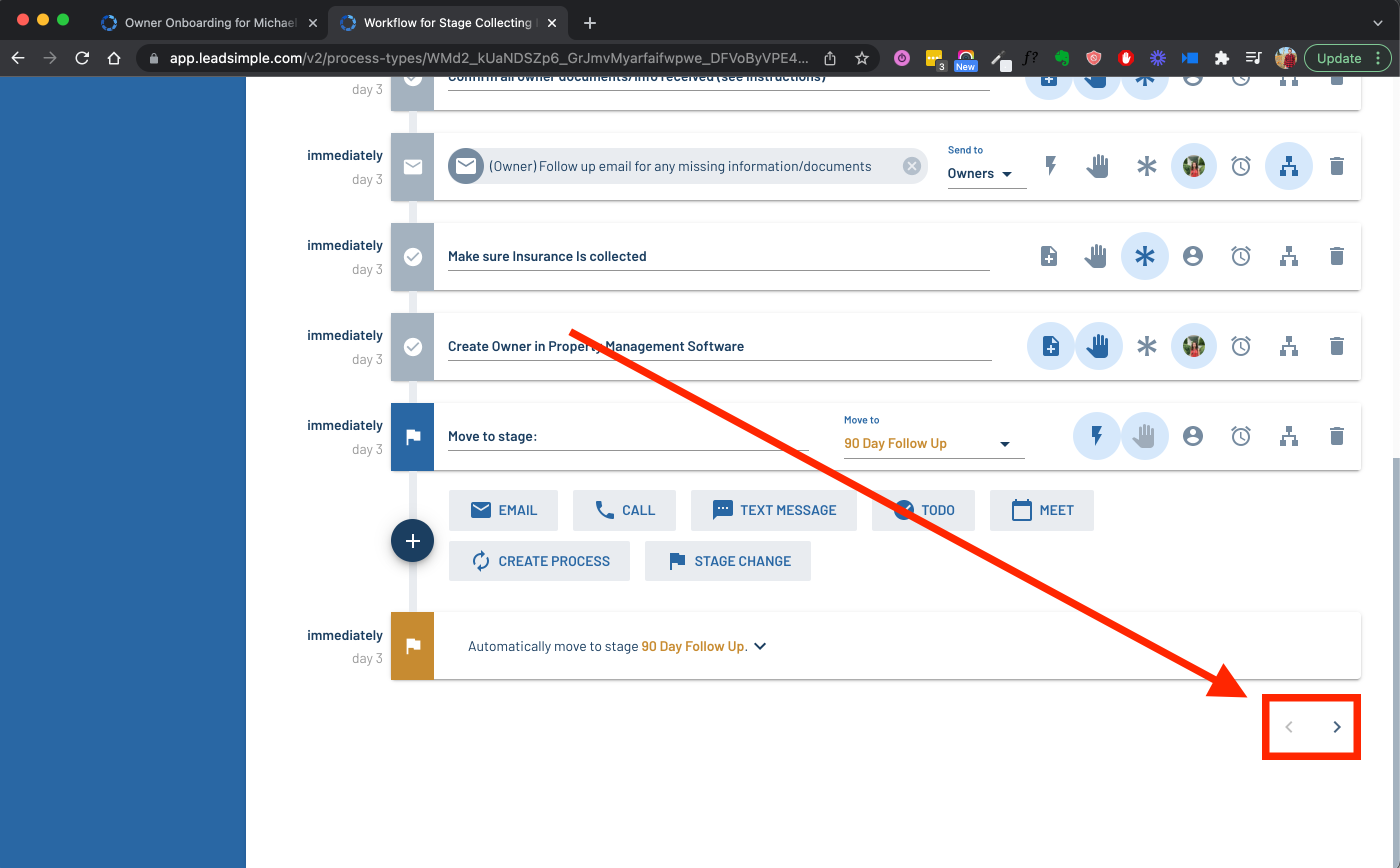
🙋♂️ Easily see who is assigned to steps in a workflow
In the workflow settings, if a workflow step is assigned to a team role (e.g. Maintenance Coordinator, Leasing Agent, etc…), LeadSimple will show you using a picture with the first initial of the role (e.g. “M” for Maintenance Coordinator). Hover over the picture to see the full name of the role or user assigned to it.
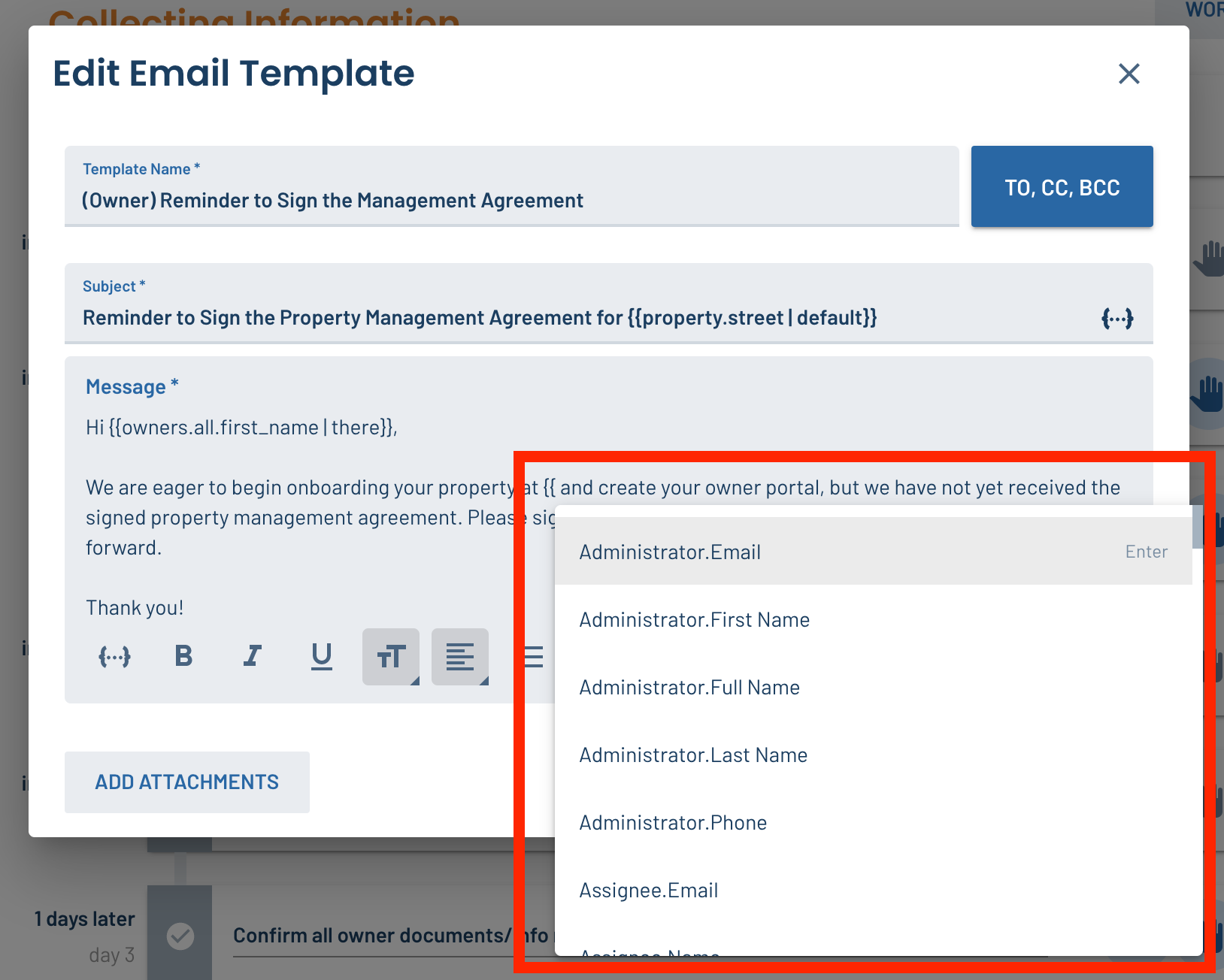
#️⃣ Keyboard shortcut for inserting merge tags
Inside and email/text template or task instructions, simply type “{” in the editor to open the merge tag selection menu. Continue typing to search for the specific merge tag you want, and hit “enter” to insert it. Now that’s a lot less clicks than before, isn’t it? 😄
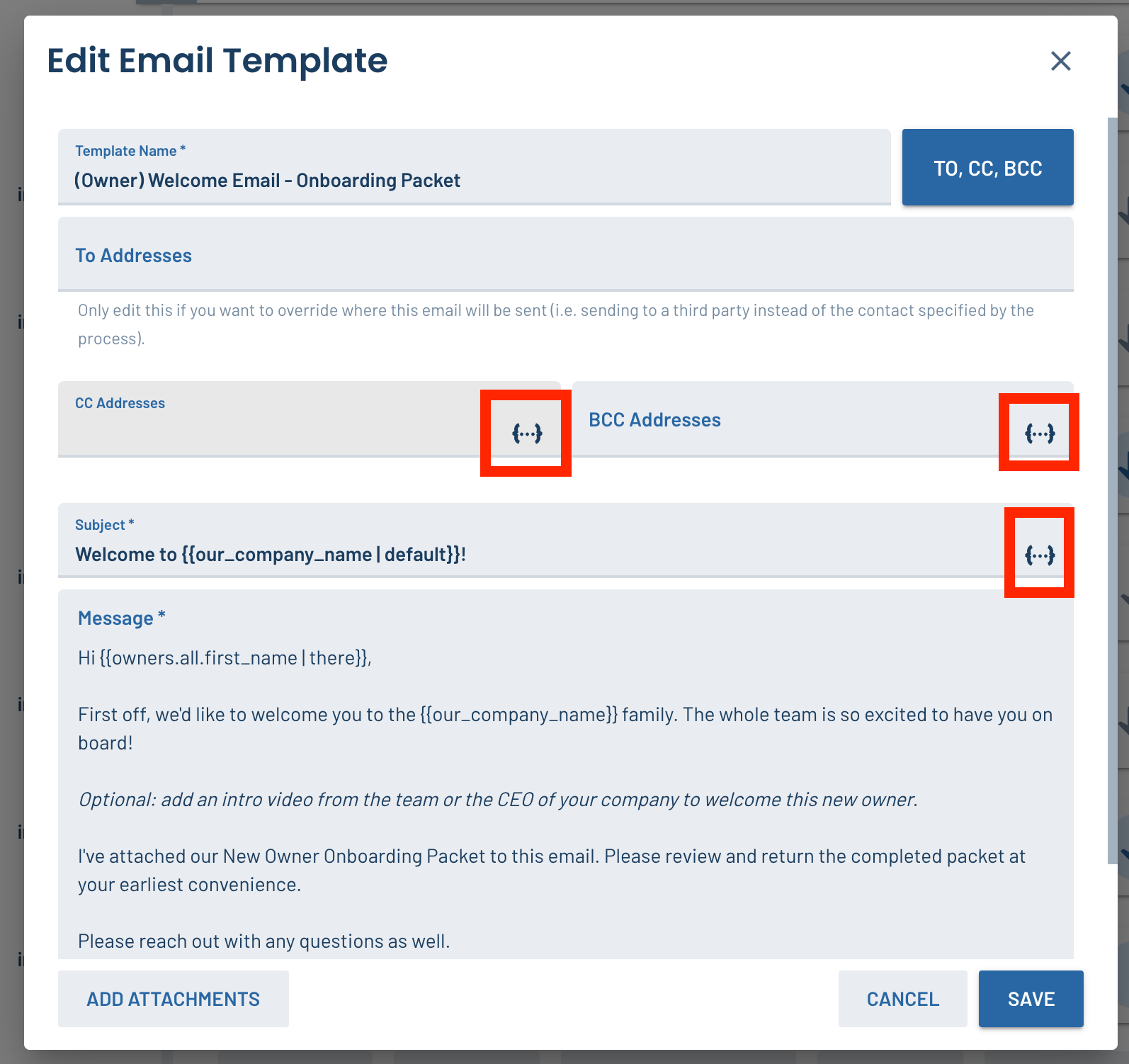
Quickly see where merge tags can be used in email templates
Merge tags can be used in the subject line, and the CC and BCC fields in email templates, but this wasn’t obvious! We made this more obvious by adding the insert-merge-tag button to all the other fields where it can be used in email templates, not just the email body.
📥 What’s happening with Inbox?
We’re working on some killer new features in Inbox right now. Every day, we’re a step closer to getting it into your hands. Here’s a preview!
- Optionally sync all emails from a connected email account - This allows you to manage your email from LeadSimple instead of navigating between LeadSimple and Gmail, Outlook, etc…
- Navigation & Filtering Improvements - Based on feedback from beta testers, we’re changing how Inbox navigation works so it will be easier to navigate and filter, similar to other common helpdesk and inbox tools.
- Conversation Tagging - Use tags to divide your conversations by the team who is responsible for them (e.g. Leasing, Pod 1, etc…), or by topic (e.g. work orders, applicants, etc…) and save managers time by letting teams assign conversations to the specific person responsible for them.
- Real Time Updates - see when new emails/texts/voicemails come in and know when another user is looking at the same conversation as you, all without refreshing the page! Stay tuned for more Inbox features including search, quick replies, Zapier integration, import tool from Help Scout, and more!
🐛🔨 Bug Fixes
Yep! We eliminated a few bugs that were making life difficult for you. Thanks for your patience!
- FIXED Formatting was not preserved when copy/pasting text into the new email editor
- FIXED “Created Within” filter could not be applied on Closed Business Report
- FIXED Some tenant names were importing incorrectly from Rentvine